
This Is The Best Tool For Substack Creators In 2026
Exactly what you need to grow your Substack

First, I’d like to address the title and say that I am not biased at all.
Thanks.
Growing an email list is a very hard task. There are so many things you can do to increase your exposure and get subscribers. It’s exhausting.
And let’s be honest, Substack doesn’t make it any easier, to say the least. Honestly, it’s probably the hardest platform to grow on.
But it’s also the best platform to grow on
I wrote a whole article about why every creator should be building an audience on Substack:

But with the right tool, it all changes.
It has the things you wish Substack had, takes the friction out of your daily workflow, and frees up your energy for the stuff that actually matters. Writing great articles, building your product, or just thinking clearly without ten open tabs and a growing to-do list.
And right now, the best way to grow on Substack is through Notes. Daily Notes.
It’s not enough that it’s difficult to keep up with everything as it is, you also:
Have to post every Note manually, because Substack still won’t let you schedule them.
Have to spend four clicks and seven seconds per Note just to find its stats. And even then, you only get 90 days of history, no sorting, no overview. It’s buried and it’s a mess.
Have to go through Substack’s messy notification center. Replying to all your comments takes hours, especially if you’re a bigger creator. At some point, it becomes almost impossible to keep up.
The Solution
As a solopreneur, it’s hard for me to see a problem and not immediately look for, or build, a fix.
So that’s exactly what I did. I built WriteStack.
Analytics that show you exactly which Notes are converting readers into subscribers, with the ability to repost your best ones in two clicks, instead of digging through Substack’s UI.
An improved notification center where you can get through all your comments in minutes instead of hours.
A Note generator that learns your writing style and produces Notes that actually sound like you.
A dead-simple scheduler so your Notes go out consistently whether you’re working or not.
An Inspiration page that shows you best performing Notes in YOUR niche
All of that. One place.
Let me show you exactly how it works.
The Analytics
This is the feature that’ll get you the most subscribers.
Instead of clicking into each Note one by one to find its stats, WriteStack gives you everything in a single view. All your Notes, all their numbers sortable.
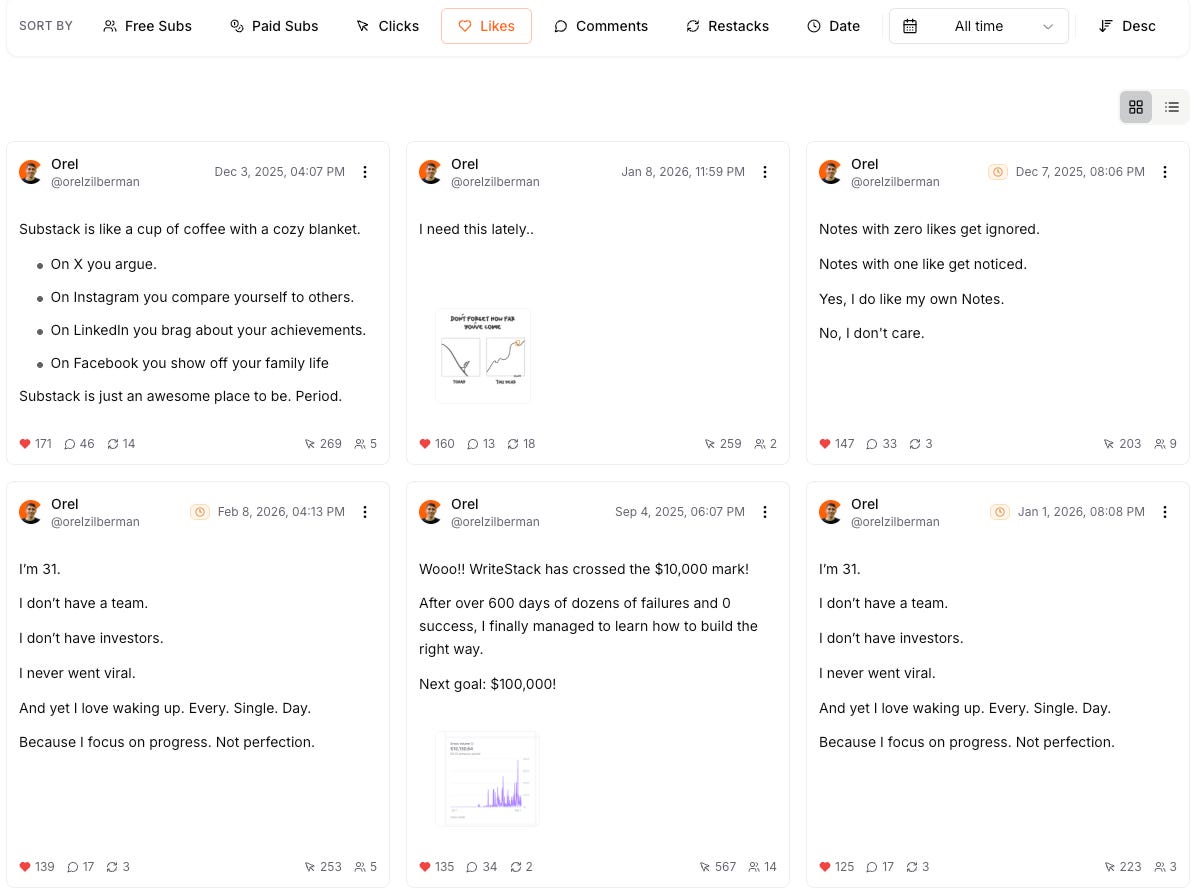
You can see which Notes are actually turning readers into subscribers. That changes how you think about what to write.
And if you want to test different things and see how your engagement changes over time, like posting 5 notes a day instead of 3, or changing the topics you write about, you can easily see how it affects your Substack.
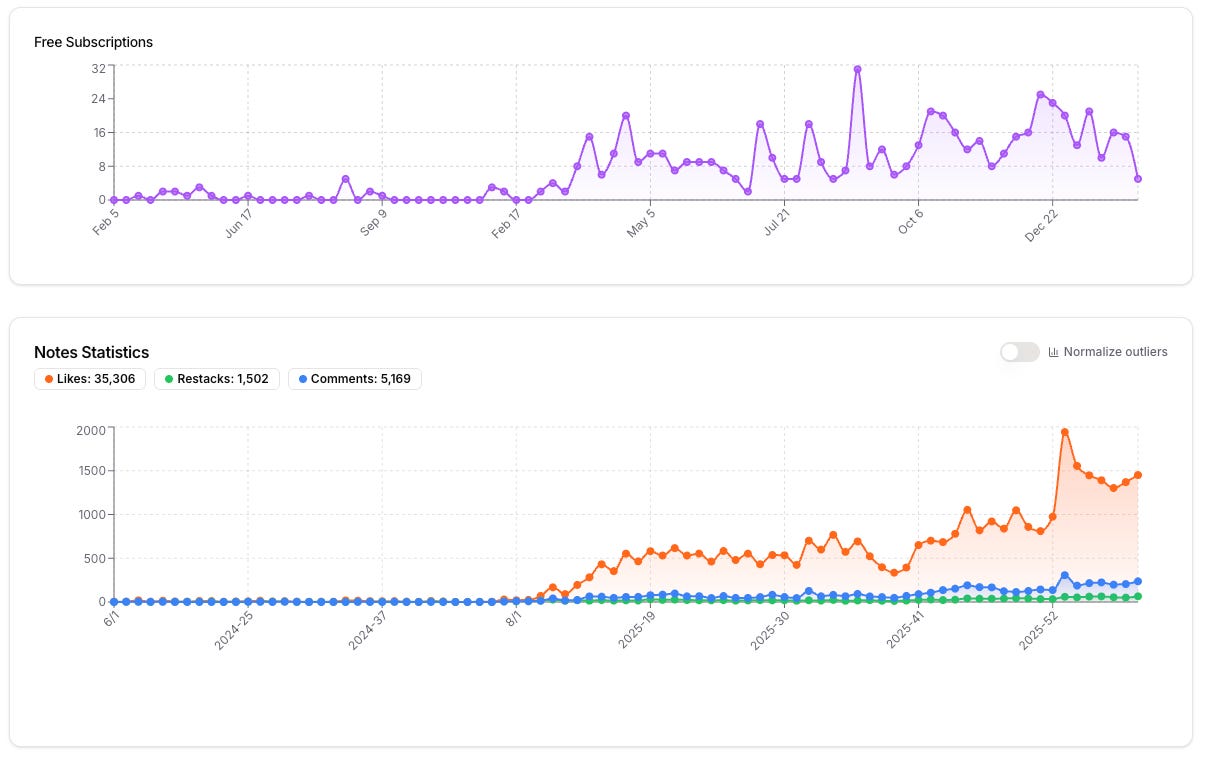
With these graphs you can track what changed.
The Activity Center
Substack’s notification center is a mess. Everything gets buried, comments, restacks, tags, replies.
Plus, even if you sort by ‘replies’, you still have to open each reply to see which Note/Post it’s related to, to reply accordingly.
WriteStack replaces that with a clean, streamlined feed that shows you exactly what needs your attention.
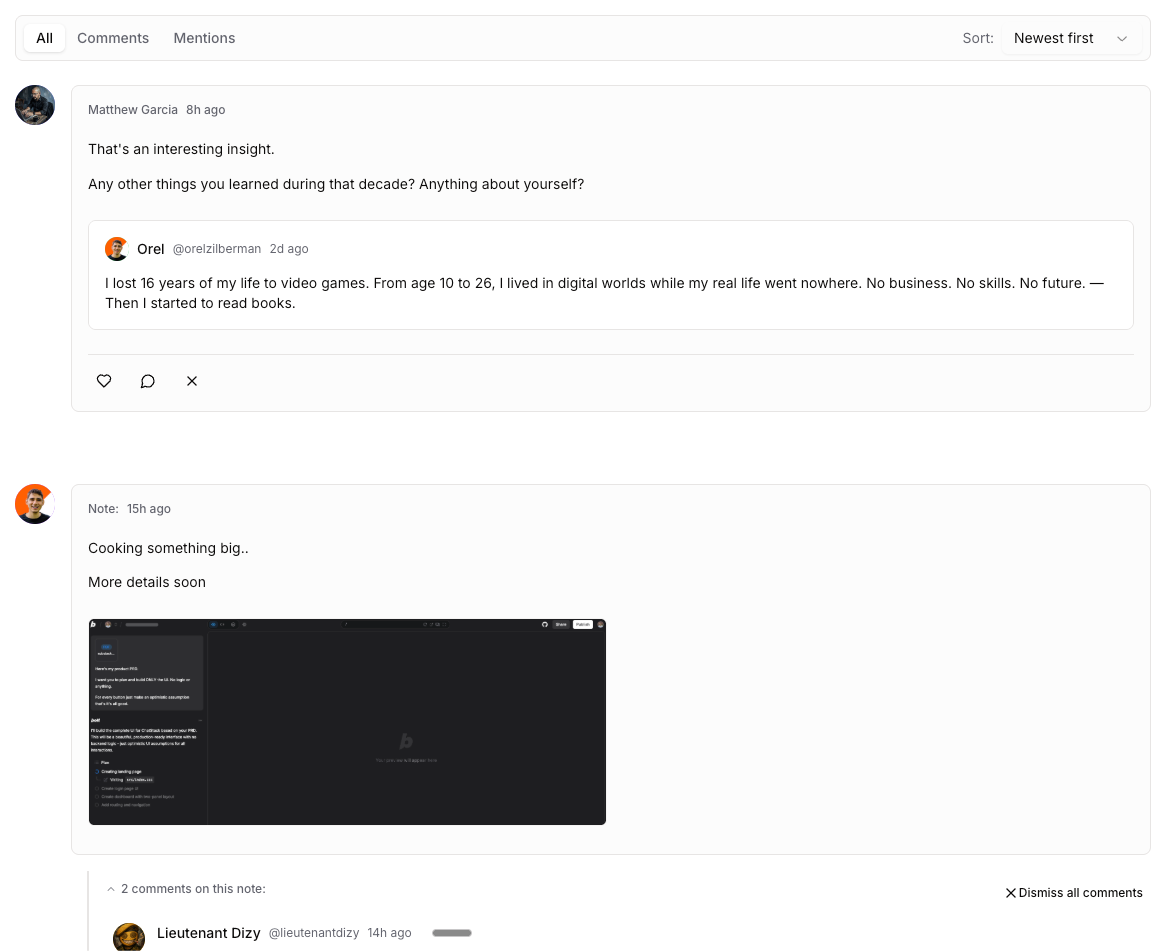
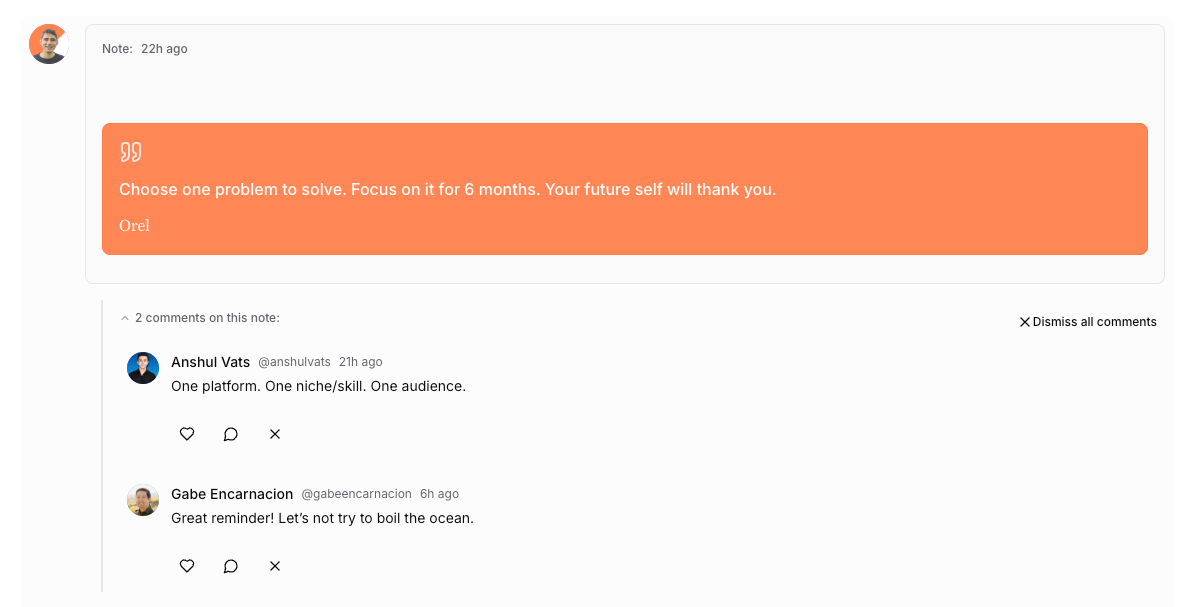
You can reply with keyboard shortcuts. Notes auto-dismiss when you’ve responded. What used to take 60 minutes now takes 15.
If you’re a creator who gets a lot of engagement, this one alone is worth it.
The Activity Tracker
As of right now, there is absolutely no way to know when your audience are most active.
WriteStack fixes it.
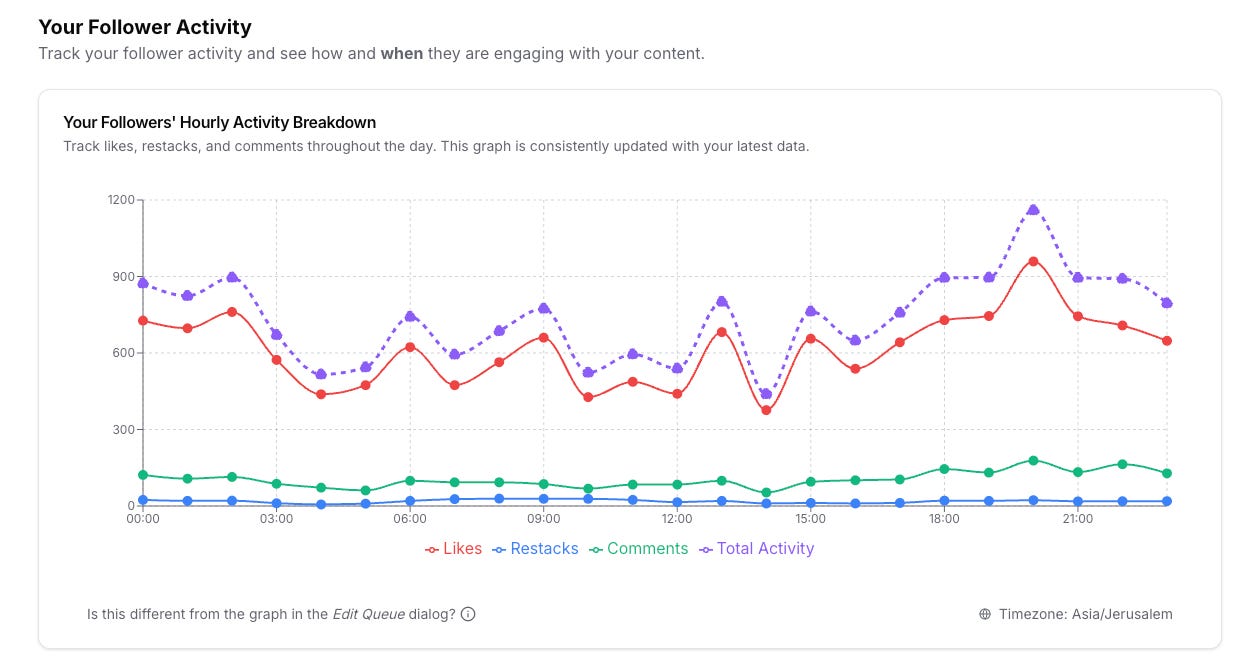
WriteStack tracks your followers’ engagement activity with your content, almost in real time, to figure out when’s the best time for you to post your Notes.
You don’t have to guess anymore.
The Scheduler
This is the one that will give you A LOT of mental space.
Substack still doesn’t let you schedule Notes. Which means if you want to post at 8am, you have to be there at 8am. Miss a day, and your consistency breaks. Miss a week, and your growth stalls.
WriteStack fixes that completely. Not only that, it lets you create your schedules based on when your followers are most active!
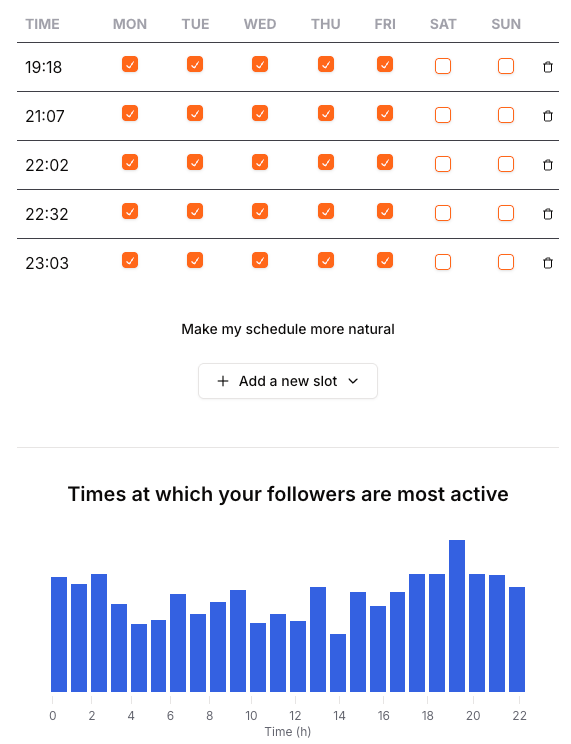
You write your Notes in advance, pick your times, and they go out automatically.
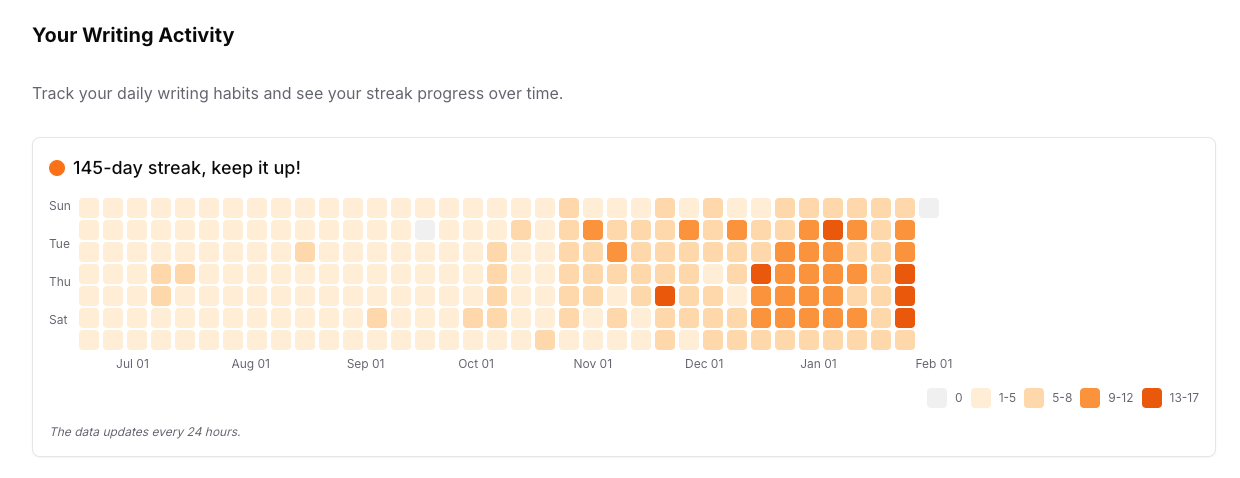
There’s also a heatmap that shows your posting streak so you can actually see your consistency over time.
Note:
Due to Substack limitations, in order for me to post your Notes safely, you have to download a Chrome extension and leave your computer running for Notes to go out.
The Note Generator
WriteStack generates Notes in your voice, based on your past posts, your writing style, your tone.
Not generic AI content. Not something that sounds like it was written by a robot who read too many LinkedIn posts. Notes that actually sound like you wrote them.
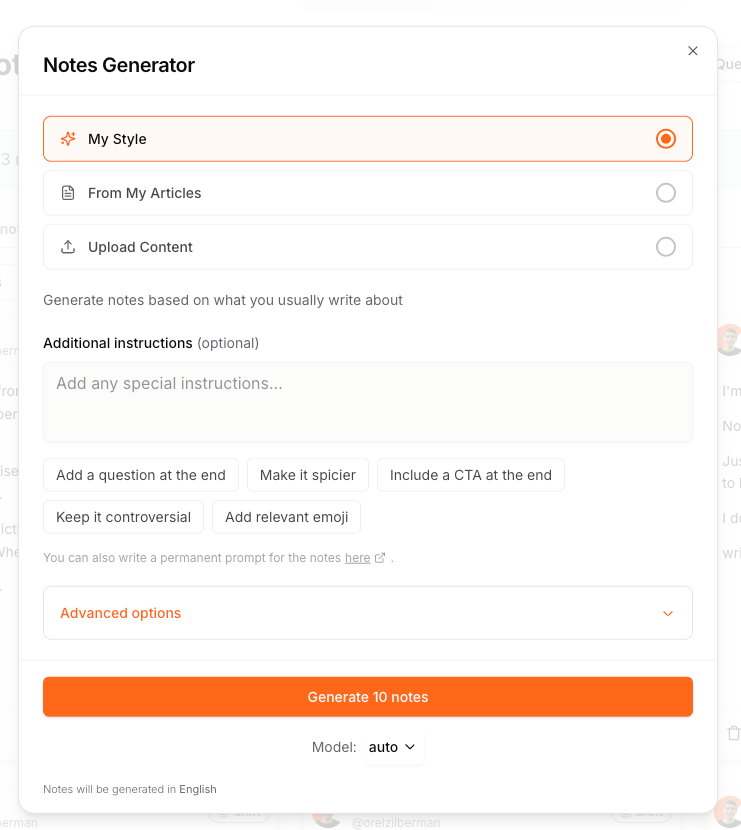
And the most used feature in the Notes generator is generating Notes based on your articles.
Pick up to 10 articles and generate Notes based on them.
Perfect for promoting your Posts.
The Inspiration Page
Sometimes you just don’t know what to write.
The Inspiration page shows you the best performing Notes in your specific niche.
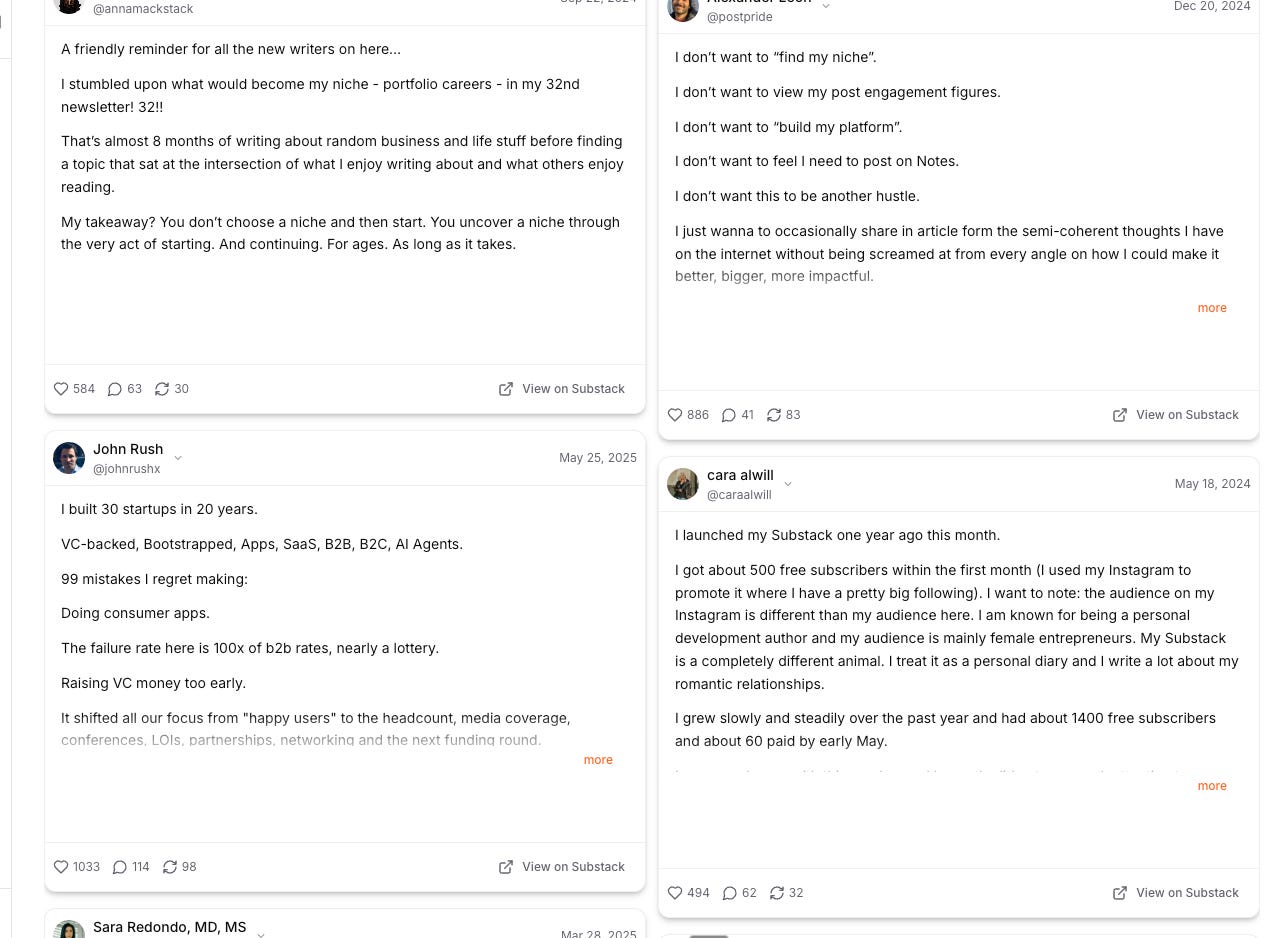
Use it for ideas. Use it to spot patterns. Use it to figure out what your audience actually responds to before you spend time writing it.
P.S.
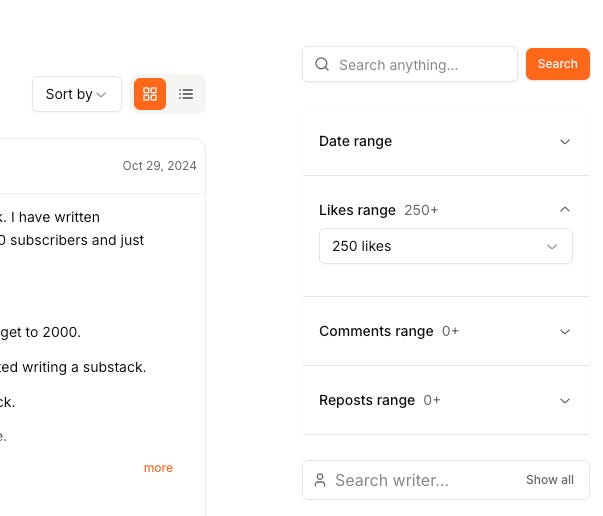
If you’re a serious creator who looks for a Notes research tool, you can also search through millions of Notes, new and old
Who Is It For?
If you want to grow your subscriber count without burning out, WriteStack is for you.
If you struggle to stay consistent with Notes because life gets in the way, WriteStack is for you.
If you want to know what’s actually working instead of guessing, WriteStack is for you.
If you like having everything in one place, your Notes, your stats, your schedule, instead of scattered across five different tabs,
you NEED WriteStack.
And the best part? You can find out today, completely risk free.
Takes 2 minutes to set up and another 15 to set up your week’s worth of Notes.
I was plugging writestack on Monday on a live with Philip from write build scale :)
Thank you for building such a great product, Orel!